THEIA II altimeter, elevation mode and compass
8-Altimeter
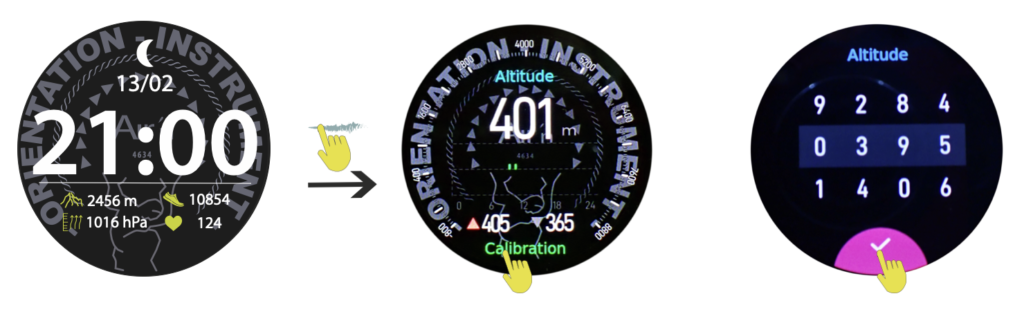
From the “home” page, sweep the dial to the left to access the altimetry page.
The estimated altitude is displayed. Press “ calibration to enter mode. Set the known altitude to confirm your selection. Altitude is now set for all modes.
Note that altitude is deduced from atmospheric pressure, which can cause data to vary considerably over 24 hours. It is therefore advisable to check these data frequently and correct them if necessary.
Press the crown or slide the dial to the right to return to the “home” page.
18-Elevation mode
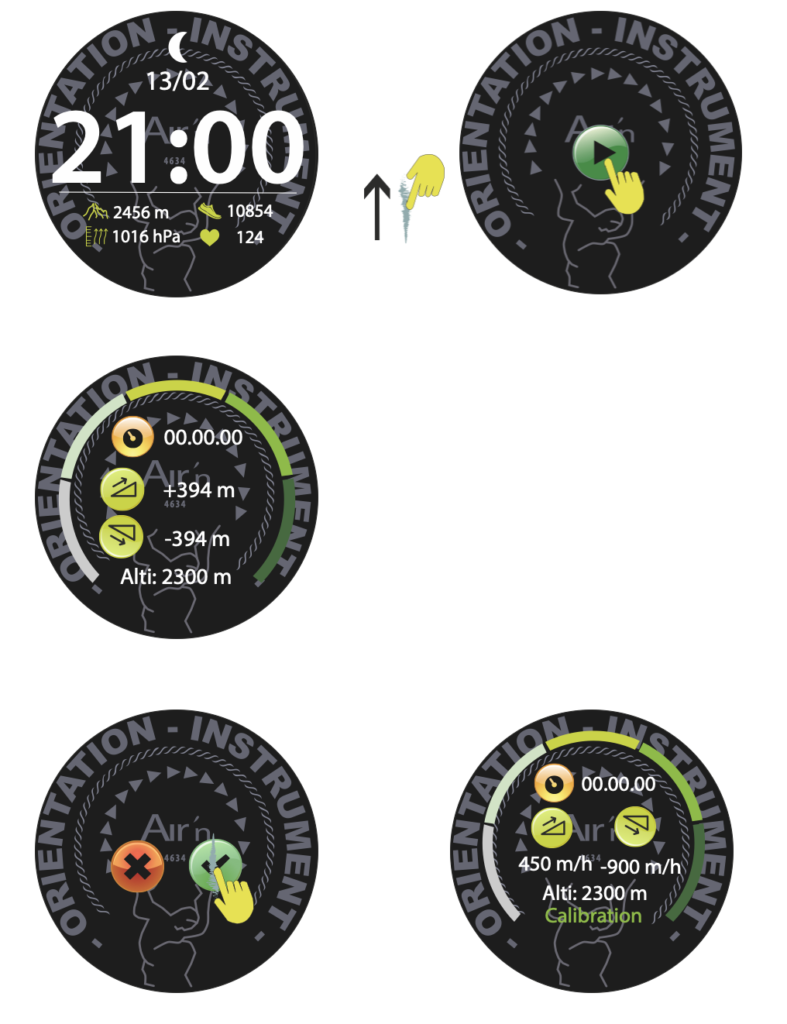
From the “home” page, sweep the dial upwards to access elevation mode. This mode allows you to calculate your elevation gain without using GPS. The watch's battery life is therefore considerably improved.
Click on the green arrow to launch the mode. Press the bottom button or slide the dial to the left to stop the mode.
The display then shows your ascent speed.
As for altitude speed, if you want to know your actual climbing speed, it is recommended that you check at the end of the climb and then at the end of the descent. This is because the difference in pressure affects both speeds. Thus, the speeds are impacted by the climb and descent.
10-Compass
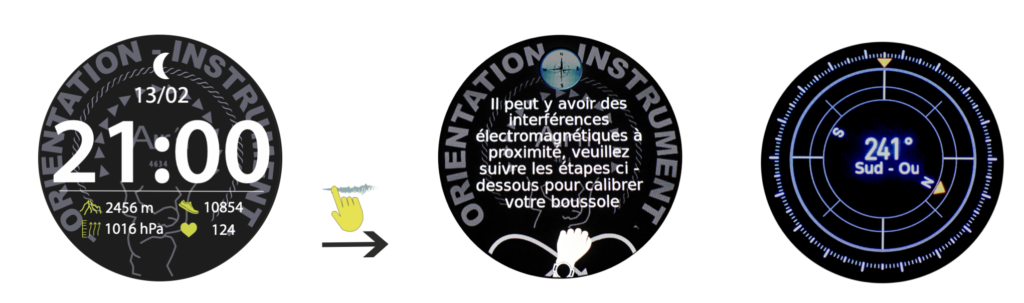
From the “home” page, sweep the dial to the left until you reach the compass page. You may be prompted to calibrate the compass for the magnetic environment. If this happens, please make circular movements to validate the calibration. After a few seconds, the compass is displayed.
Press the crown or slide the dial to the right to return to the “home” page.