The airn connect app for THEIA II
APPLICATION FEATURES
A- Watch section
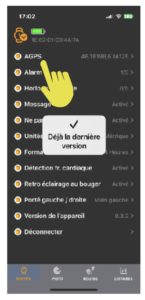
1- Alarm lets you set an alarm clock via Bluetooth
2-World clock lets you link up to 5 time zones via Bluetooth. If you you don't find the city you are looking for, please refer to another one at the same timezone.
3-Message lets you configure the reception of messages on your watch via Bluetooth. This function can also be configured directly from the watch.
4- Do not disturb allows you to activate or deactivate the “do not disturb” mode. This mode disables message reception and the backlight function when moving.
5-Units lets you choose between metric or English feet units.
6-Time format for 24-hour or 12-hour display
7-Heart rate detection activates or deactivates the watch's heart rate tracking.
8- Left / right hand reach allows you to change the display according to the left or right hand.
9 -Device version, watch firmware updates:
Click on “Device version” to update your watch if necessary. If your firmware is not up to date, a window will open prompting you to update. (Slide down). It's important to maintain a good connection for the update. This operation takes about 20 minutes via Bluetooth.
10- Find a watch in the bluetooth range will activate the vibration mode on your watch.
11- Disconnect allows you to disconnect the watch. If you choose this option, you must also remove the watch from your phone's bluetooth settings.
B- Profile section
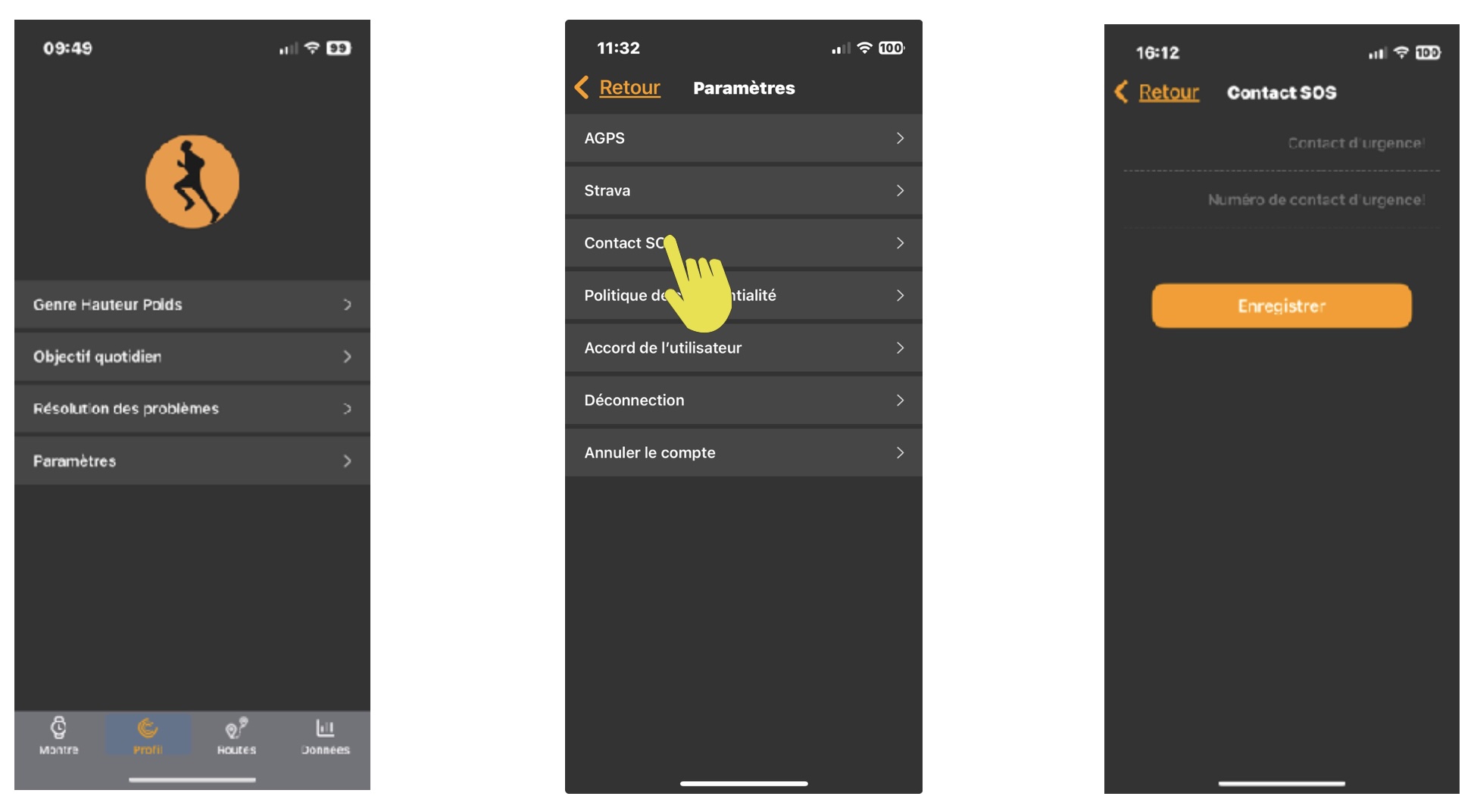
1-Width-Height-Weight: Enter and manage your personal data to enable the watch's algorithms to manage the various functions.
2-Daily goal: Manage your daily walking, mileage and KCal goals.
3-Problem solving gives you advice in the event of a problem
4-Parameters a-AGPS: Assisted-GPS improves GPS signal reception speed by displaying satellite ephemeris for 3 or 4 days. It is therefore recommended to use this function about 2 times a week if you want a fast signal reception. b- STRAVA connection. Will transfer the activity sport mode to your STRAVA account. c-SOS contact: enter the contact name and phone number you would like to contact in case of emergency. d-Clear cache will delete the cache memory on your watch. e-Policy privacy (see Policy privacy f-Disconnect will disconnect the APP from the server. g-Cancel the account will definitely close the account on our server including all the data's recorded.
D-Data:
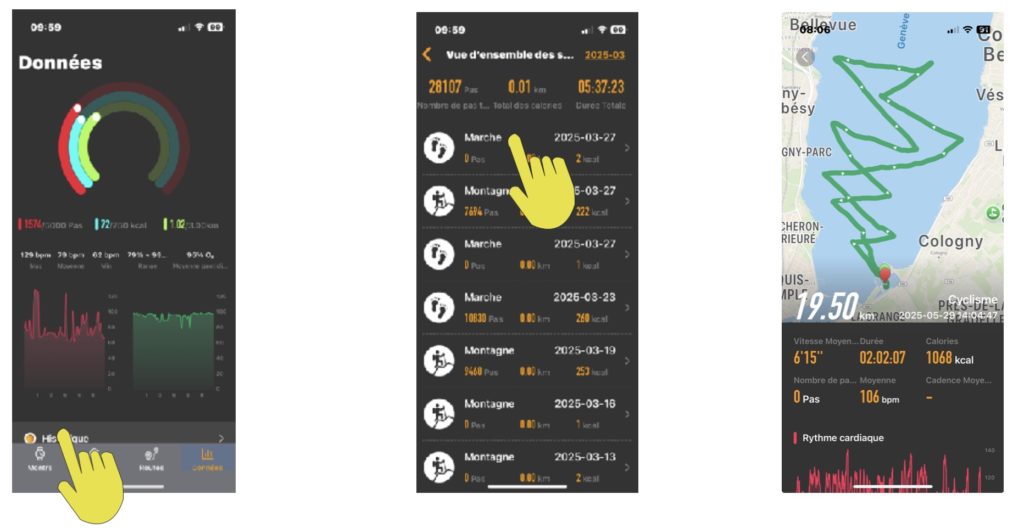
Allows you to view your daily data and your complete sports history. Each time you connect your watch to the app, the data stored in the watch is transferred to our server. You can view it at your convenience. You can also force the data transfer by clicking on the dedicated button.
We recommend setting your phone's sleep mode to 5 minutes to ensure proper data transfer via Bluetooth.