Create a route and send it to THEIA II
C- Section ROUTES
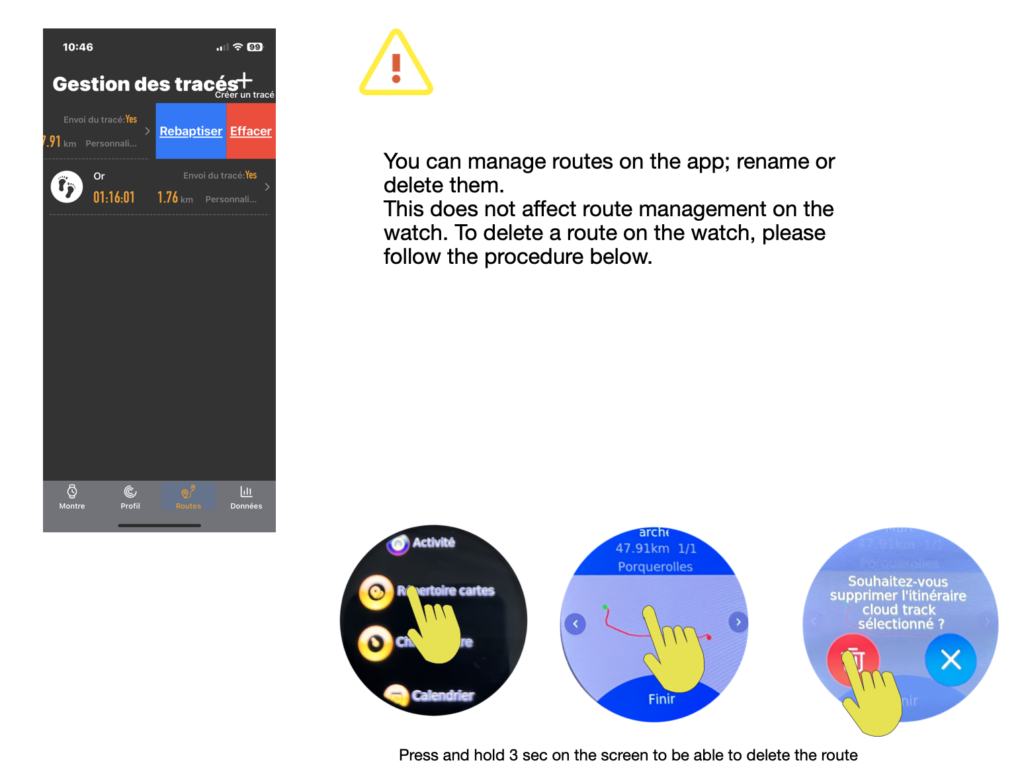
Route management:
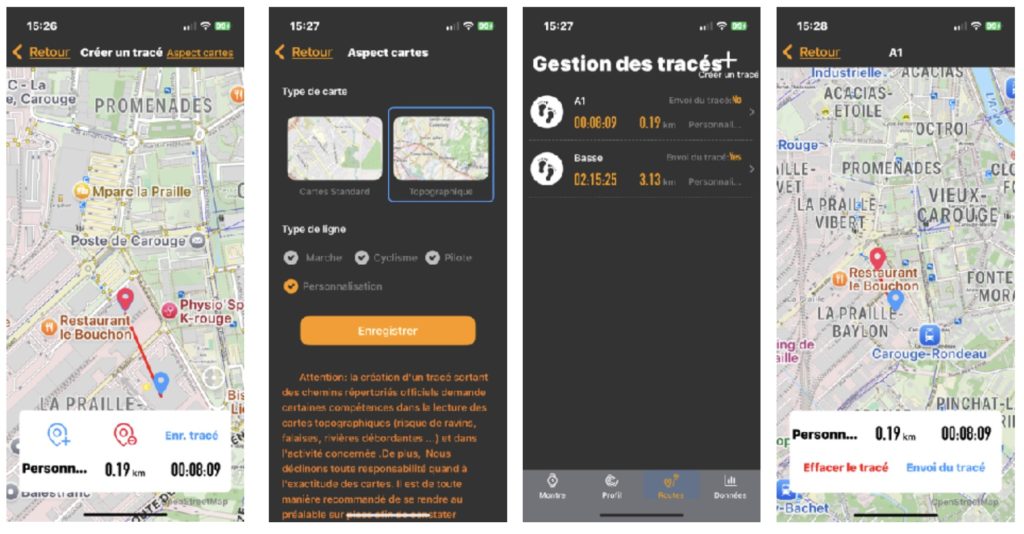
You can create a route from within the application. To do so, select the Routes option. Configure your map type and activity.
Please note that if you choose the “Customize” option, you may leave the pre-set routes. This requires certain map-reading skills to avoid objective hazards. In any case, it's advisable to visit the selected location on the map beforehand, to get a feel for the environment.
Once you've created your route, name it and select the “send route” option to send the route to your watch. Your trail is now stored in your watch, and you can select it in activity mode before validating GPS signal reception.