Getting started with THEIA II
1-Getting started
To start your watch, press and hold button A , then release. The watch displays the logotype, then indicates a random time. If there is not enough power to switch the watch ON, please refer the chapter Charging method.
3-Download application
To install the airn connect application on your phone (IOS or Android platform), please go to the following web address or scan the QR code printed on quick user guide: https://app.airn.ch/down (only for cell phones)
Select the platform corresponding to your cell phone (IOS or Android), then follow the instructions on the screen.
Make sure your phone allows Bluetooth connections.
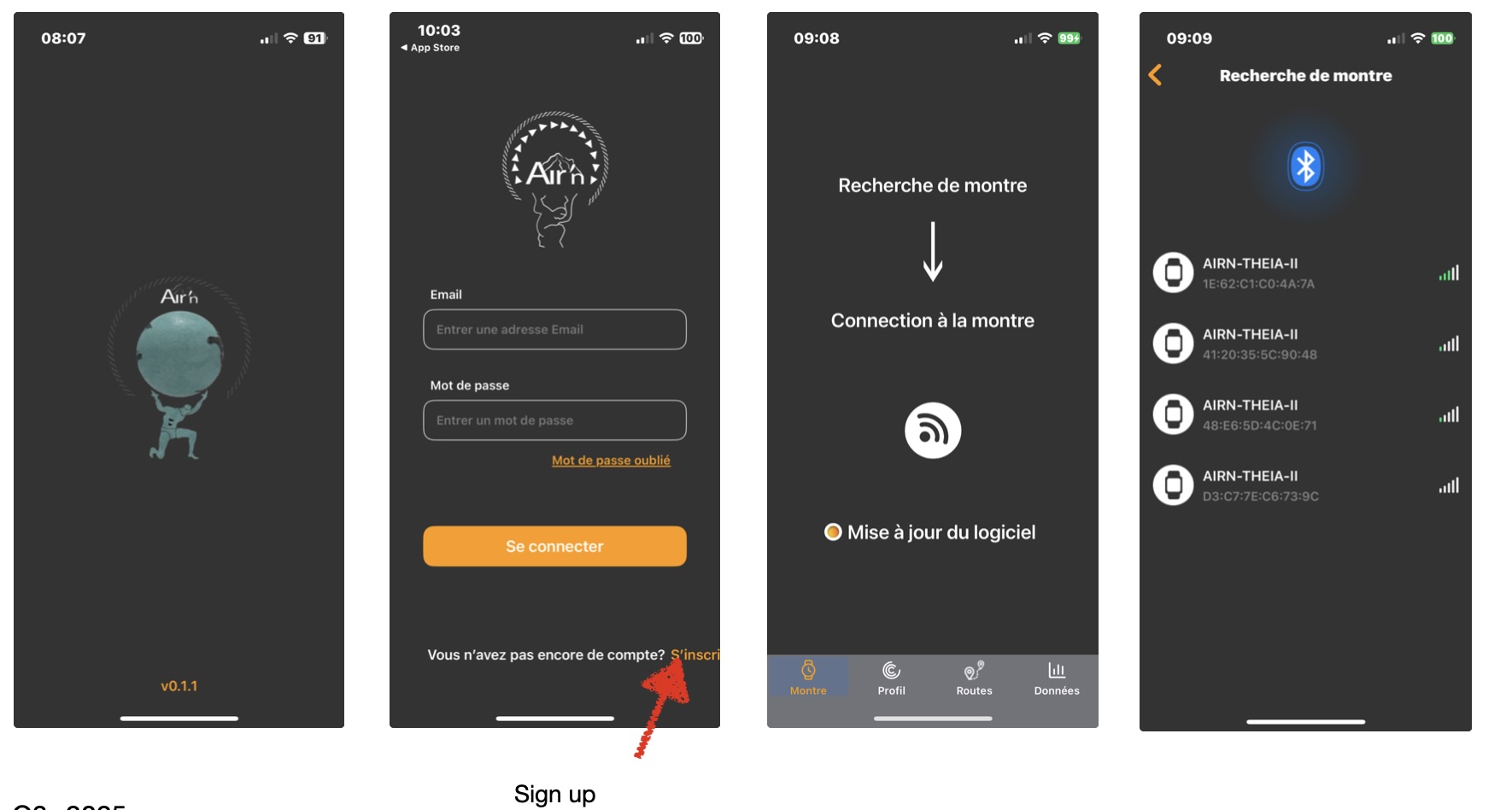
1- Once the application has been installed, log in to the application by creating a user account the first time with a password.
NB: if you've forgotten your password, you can reset it by sending a request by email.
2- When you open the application, after creating your account, the application automatically asks you to connect a watch. Your watch is found, connect it.
3- Once the watch is connected, it automatically sets the time and the watch language is adapted to that of your cell phone.
4- Set up your profile and your daily walking and Kcal consumption targets.